Photo booth strips are a fun way to save memories with friends, family, or by yourself. You do not always need a physical photo booth or a special app to create one. Today, you can make a photo strip directly in your browser using a free online photobooth.
An online photobooth lets you take several pictures, arrange them into a strip, and add a fun photobooth frame. It can be used on a phone, tablet, or computer, depending on the website.
The best part is that you can create a photo booth strip without complicated editing tools.
What Is a Photo Booth Strip?
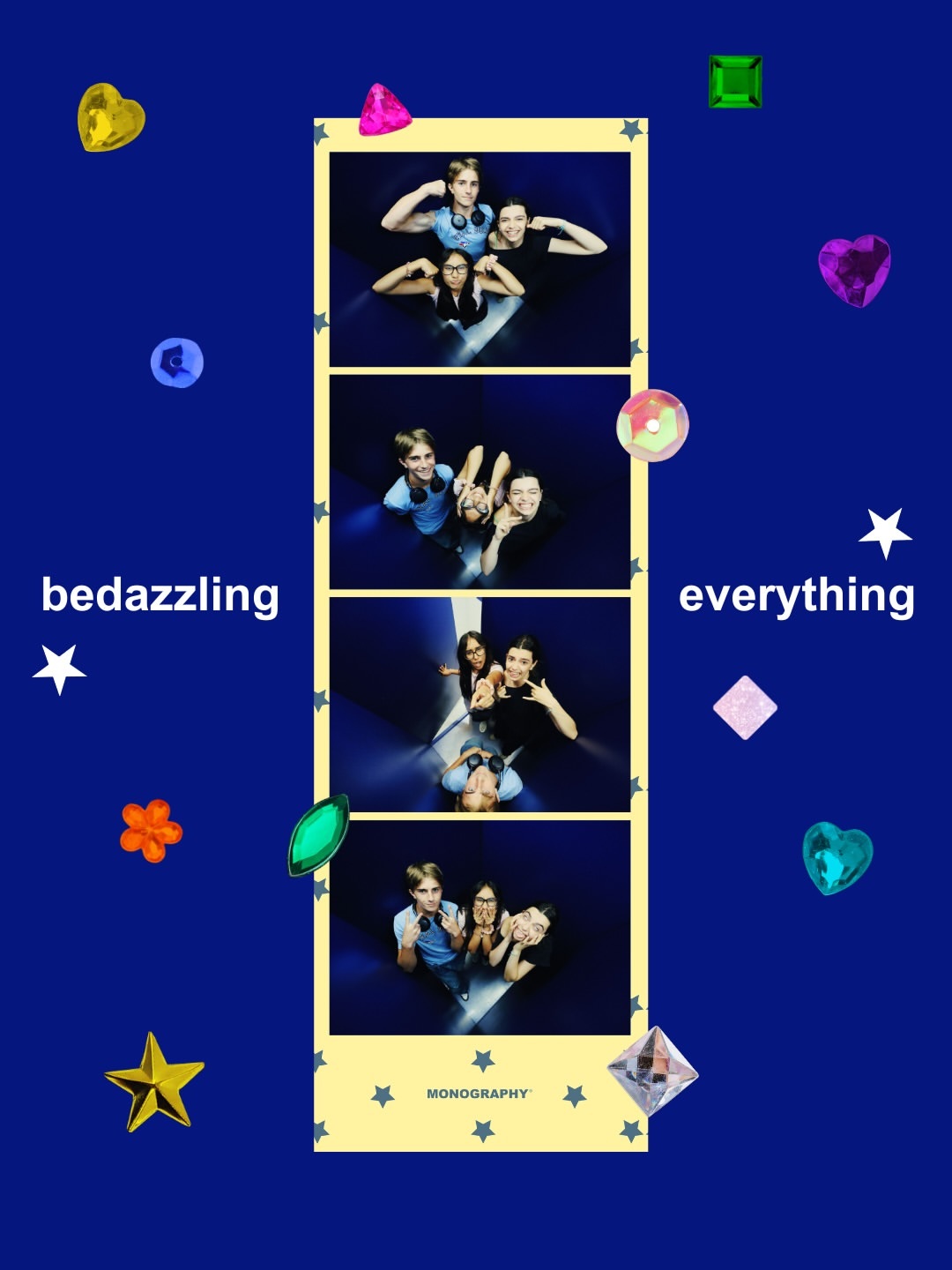
A photo booth strip is a group of pictures placed together in one long image. A traditional photo booth usually takes three or four pictures and prints them on a small strip.
Today, you can create the same style online with a picture booth online.
You can take four pictures, choose a layout, add a picture booth frame, and save the finished strip as a digital image.
How to Make a Photo Booth Strip Online for Free
Creating a photo strip online is simple. Here are the basic steps.
1. Open an Online Photobooth
Start by choosing an online photobooth that works in your web browser.
You do not necessarily need to download an app. A browser-based photo booth web tool can let you take pictures directly from your device.
2. Allow Camera Access
If the photobooth needs your camera, your browser may ask for permission.
Click allow so the website can use your camera.
If you do not want to use your camera, some tools may also let you upload existing pictures.
3. Take Your Pictures
Now take your photos one by one.
For a classic photo booth strip, four pictures are a popular choice. Try different poses, smiles, or expressions for each picture.
You can create a fun strip with:
- Friends
- Family
- Couples
- Selfies
- Party pictures
- Birthday photos
- Event memories
4. Choose a Photobooth Frame
After taking your pictures, choose a photobooth frame that matches your style.
You can look for simple, colorful, retro, cute, or minimal frames.
A good picture booth frame can make your photos look more like a traditional photo booth strip.
5. Check Your Photo Strip
Before saving your picture, check how the photos look together.
Make sure:
- All pictures are visible
- The photos are in the right order
- The frame looks good
- There is no unwanted crop
- The final strip looks balanced
6. Download Your Photo Strip
Once you are happy with the result, save or download your photo strip.
You now have a digital photo booth strip that you can keep, print, or share with friends.
Why Use a Free Online Photobooth?
A free online photobooth is useful because it makes creating photo strips quick and easy.
You can create pictures without buying a traditional photo booth. You also do not need complicated photo editing software.
An online tool can be useful for:
- Quick selfies
- Birthday parties
- Small events
- Virtual celebrations
- Social media posts
- Couple photos
- Friends' photos
- Creating digital memories
Can You Make a Photo Booth Strip on Your Phone?
Yes. Many browser-based photobooth tools can be used on a smartphone.
Simply open the picture booth online, allow camera access, take your pictures, choose your frame, and save the final photo strip.
This makes it easy to create photo booth-style pictures when you are away from a physical photo booth.
How to Make Your Photo Strip Look Better
You do not need professional photography skills to make a good photo strip.
Try these simple ideas:
Use good lighting: Take pictures somewhere with enough light.
Keep the camera steady: Place your phone on a stable surface if you are taking group pictures.
Try different poses: Change your expression or pose in every picture.
Choose a simple frame: A frame should make the pictures look better without hiding them.
Keep the style consistent: If you want a vintage look, choose a retro-style photobooth frame.
Online Photobooth vs. Traditional Photo Booth
A traditional photo booth requires a physical setup. An online photobooth works through your browser.
With a photo booth web tool, you can create photo strips from almost anywhere without setting up a physical booth.
For quick digital photos, an online option can be a simple and convenient choice.
Final Thoughts
Making a photo booth strip does not have to be difficult. With a free online photobooth, you can take several pictures, choose photobooth frames, and create a fun photo strip in just a few steps.
Whether you are taking pictures with friends, creating memories at a party, or simply making fun selfies, a picture booth online can give your photos that classic photo booth look without needing a physical booth.
Frequently Asked Questions
1. How can I make a photo booth strip online for free?
You can use a free online photobooth, take several pictures, choose a layout or photobooth frame, and download your finished photo strip.
2. What is an online photobooth?
An online photobooth is a web-based tool that lets you take photo booth-style pictures using your phone, tablet, or computer.
3. Can I make a photo booth strip without an app?
Yes. A browser-based photo booth web tool can let you create photo strips without installing a separate app.
4. How many pictures are usually in a photo booth strip?
Four pictures are commonly used for a classic photo booth strip, although the number can vary depending on the layout.
5. Can I use photobooth frames online?
Yes. Many online photobooth tools offer different photobooth frames that you can use to change the look of your photo strip.
6. Can I make a picture booth online on my phone?
Yes. If the online photobooth supports mobile devices, you can use your phone camera to create your photo strip.
7. What is a picture booth frame?
A picture booth frame is a digital border or design placed around your photos to give them a photo booth-style appearance.
8. Can I create a photo strip from existing pictures?
Some online photobooth tools allow you to upload existing pictures instead of taking new photos.
9. Can I print an online photo booth strip?
Yes. After downloading your digital photo strip, you can print it at home or through a photo printing service.
10. Is a free online photobooth easy to use?
Yes. Most basic online photobooth tools are designed to be simple. Usually, you take your pictures, select a frame or layout, and save the final strip.


 Search in Classifieds
 Search in Groups
 Search in Polls
 Search in Members
 Search in Members
 Search in News
 Search in Businesses
 Search in Contests
 Search in Events
 Search in Music Albums
 Search in Music Songs
 Search in Quotes
 Search in Site Team



Share this page with your family and friends.