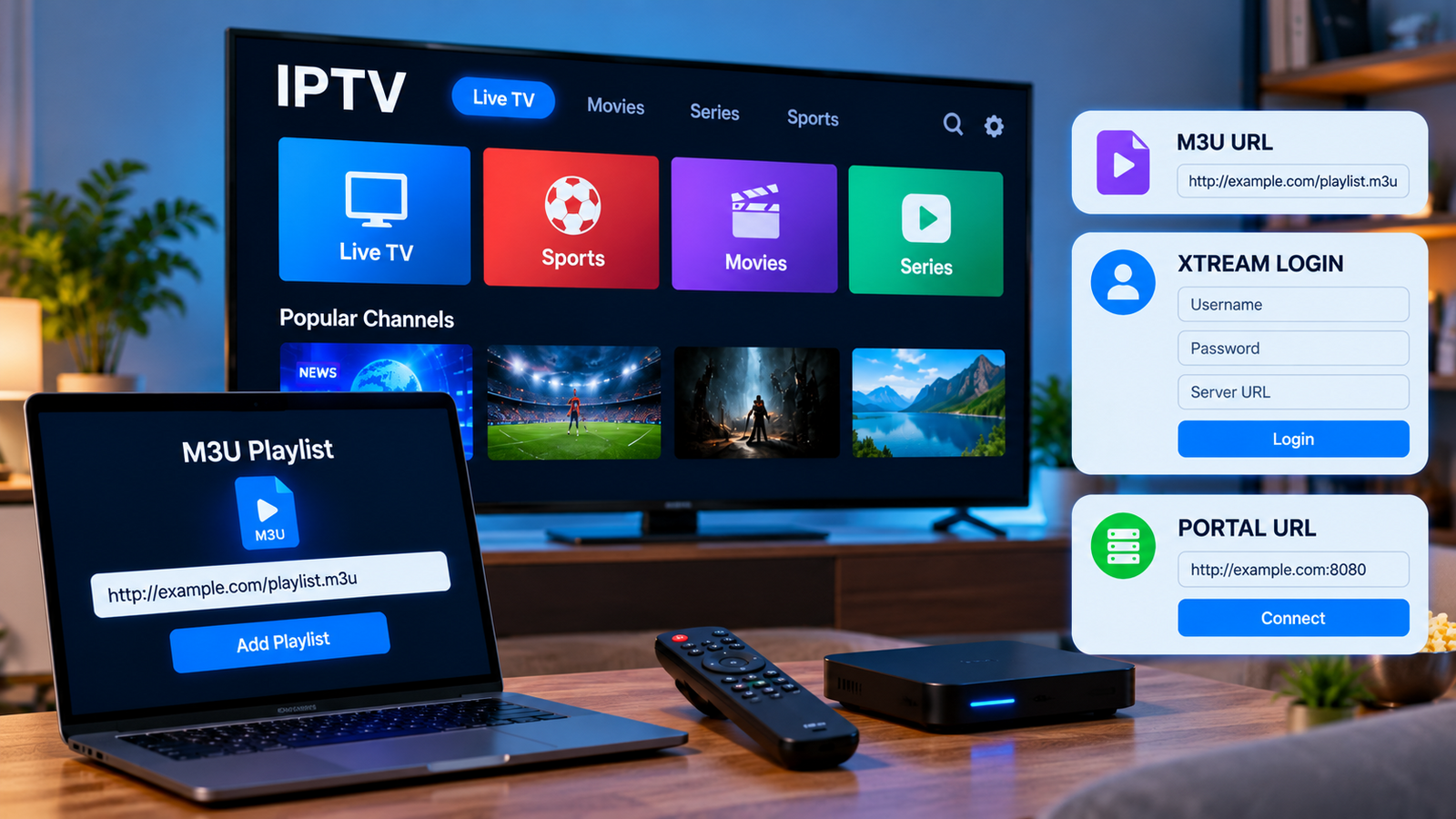
Setting up IPTV often involves more than installing an application. Users may also need to understand different connection methods, including M3U playlists, username and password logins, and portal-based setups.
These methods all serve a similar purpose: they allow a compatible IPTV player to connect to a service and organize available content. However, the setup process can differ depending on the application and device.
Understanding the basics can make IPTV configuration easier and help users choose a player that matches their needs.
What Is an M3U Playlist?
An M3U playlist is a file or web address that contains information about media streams.
In IPTV, an M3U URL can be entered into a compatible player so the application can load available channels and other supported content.
The player reads the information contained in the playlist and organizes it into a usable interface.
An M3U playlist may contain:
The exact content depends on the service and playlist configuration.
How Does an M3U URL Work?
Instead of downloading a playlist file manually, many IPTV setups use a direct M3U URL.
The user copies the address provided by the service and enters it into a compatible IPTV player.
The application then connects to the URL and loads the available information.
It is important to copy the address exactly. Missing characters, spaces, or incorrect symbols can prevent the playlist from loading.
Users should also avoid sharing private playlist URLs publicly because they may contain subscription credentials.
What Are Username and Password Login Methods?
Some IPTV applications allow users to connect using a username, password, and server address rather than entering a long playlist URL.
This method can be easier to manage because the information is entered into separate fields.
A typical setup may require:
-
Username
-
Password
-
Server or portal address
After entering the correct details, the application communicates with the service and loads the available content.
When comparing IPTV options such as Rapid IPTV, users should check which setup methods are supported and whether instructions are available for their preferred player and device.
M3U vs Login-Based Setup
Both methods can work well when supported by the IPTV player.
M3U Setup
M3U is widely supported by many media players and IPTV applications.
It can be useful for users who want a simple playlist-based configuration or who use software that accepts direct media playlists.
However, long M3U URLs can be difficult to enter manually on a television using a remote control.
Username and Password Setup
Login-based methods can be easier to enter and manage.
Some applications also use this type of connection to organize categories, program information, and on-demand libraries more effectively.
The best option depends on the IPTV service and the application being used.
What Is an IPTV Portal?
Some IPTV devices use a portal-based setup.
Instead of loading a standard playlist, the device connects directly to a specific server or portal address.
Certain dedicated IPTV boxes may also use a device identifier as part of the setup process.
Portal configurations are usually more device-specific, so users should follow the instructions provided for their exact hardware.
Trying setup instructions intended for a different device can lead to connection errors.
Choosing a Compatible IPTV Player
Not every IPTV player supports every login method.
Before installing an application, confirm whether it accepts the connection information provided by your IPTV service.
Popular features to consider include:
-
M3U support
-
Login-based connection support
-
Electronic Program Guide integration
-
Channel categories
-
Favorites
-
Search
-
Parental controls
-
On-demand organization
-
Multiple playlist support
The most feature-rich application is not always necessary. A stable and easy-to-use player that supports your subscription method may be the better choice.
How to Enter IPTV Details Safely
Subscription information should be treated like other login credentials.
Avoid posting usernames, passwords, portal addresses, or private playlist links on public websites, forums, or social media.
If possible, enter the information directly into your trusted IPTV application.
Users should also avoid unofficial applications from unknown download sites. Installing apps through official or reputable sources reduces unnecessary security risks.
Common Setup Problems
Several simple issues can prevent IPTV information from loading correctly.
Incorrect Login Information
Check the username and password carefully.
A single incorrect character can stop the application from connecting.
Wrong Server Address
Server addresses must usually be entered exactly as provided.
Check for missing characters or unnecessary spaces.
Expired Subscription
If a setup that previously worked suddenly stops connecting, confirm that the subscription is still active.
Unsupported Player
An application may not support the particular login method provided by the service.
Check the player's documentation before assuming that the subscription itself is not working.
Internet Connection Problems
The IPTV player needs internet access to retrieve playlist data and load streams.
Test another application or website on the same device to confirm that the connection is active.
What Is an EPG?
EPG stands for Electronic Program Guide.
It provides program information that can help users see what is currently playing and what is scheduled next.
Depending on the IPTV service and player, EPG information may load automatically or require a separate configuration.
A well-organized guide can make navigating live television much easier, particularly when many channels are available.
Keep Your IPTV Application Updated
Updates can improve application stability and compatibility.
Older versions may experience problems when operating systems or connection methods change.
Check periodically for updates through the official app store or developer source.
Keeping the television, streaming device, and router firmware updated can also help maintain a reliable streaming environment.
Avoid Editing Connection Details Without a Reason
Users sometimes change server addresses, playlist information, or advanced application settings while troubleshooting.
This can create additional problems.
Before modifying anything, save or record the original configuration. If an issue occurs, start with basic troubleshooting such as restarting the application, checking the internet connection, and verifying login details.
Change advanced settings only when necessary.
Final Thoughts
M3U playlists, username and password connections, and portal-based setups are different ways of connecting an IPTV application or device to a compatible service.
The correct method depends on the provider, IPTV player, and device being used.
Before beginning setup, users should identify which connection method they have received, choose an application that supports it, and enter the information carefully.
Protecting login details, using trusted applications, keeping devices updated, and following device-specific instructions can make IPTV configuration simpler and reduce avoidable setup problems.


 Search in Classifieds
 Search in Groups
 Search in Polls
 Search in Members
 Search in Members
 Search in News
 Search in Businesses
 Search in Contests
 Search in Events
 Search in Music Albums
 Search in Music Songs
 Search in Quotes
 Search in Site Team



Share this page with your family and friends.